We're excited to announce our enhanced two-way SMS messaging feature that transforms how you communicate with your customers. Send messages to individuals or bulk SMS send to your entire contact list and groups, and when they reply - you'll receive SMS email notifications and see their responses in a beautiful conversational interface, just like using iMessage on your iPhone.
What's New
Bulk Send to Contacts & Groups
Send SMS messages to your entire contact list or specific groups with one click. Perfect for announcements, reminders, and SMS marketing campaigns.
Email Notifications for Replies
When customers reply to your messages, you'll receive an email notification so you never miss an important response.
iMessage-Style Conversations
View and reply to messages in a familiar chat interface. See your full conversation history with each contact in one place.
Automatic Opt-Out Handling
When contacts reply STOP or request removal, we automatically block future messages and notify them they've been unsubscribed.
Your Conversations Dashboard
See all your SMS conversations in one place - just like iMessage on your iPhone
Yes, confirmed for 2pm tomorrow
Thanks, see you then!
Your order is ready for pickup
Sarah Chen
+64 21 987 6543
Hi Sarah, reminder: your appointment is tomorrow at 2pm. Reply C to confirm.
10:30 AM
Yes, confirmed for 2pm tomorrow
Received 10:45 AM
Great, see you then!
10:47 AM
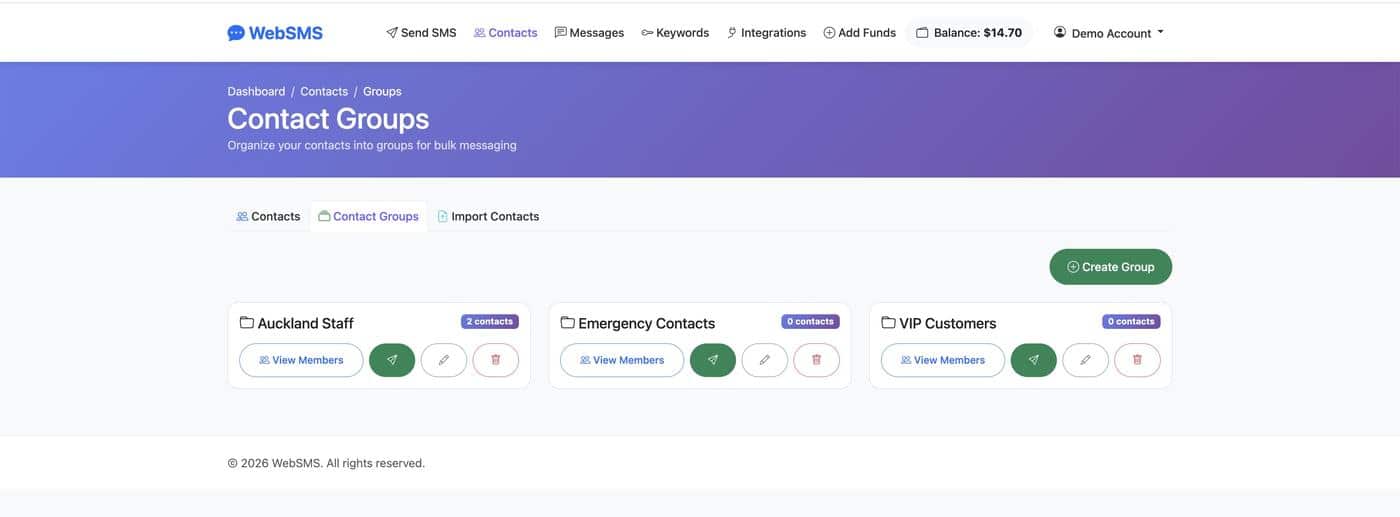
Bulk Send to Contacts & Groups
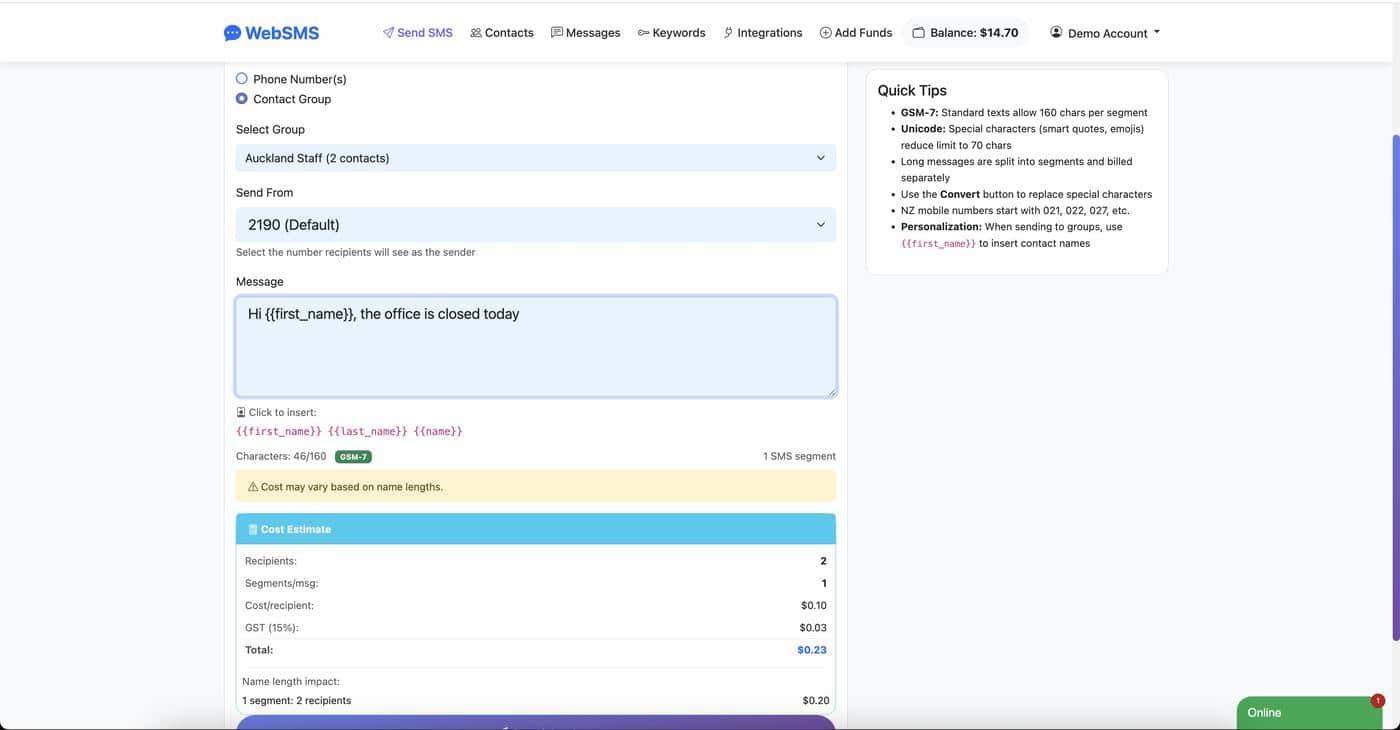
Sending messages to multiple recipients has never been easier. Select individual contacts, choose an entire contact group, or send to your complete contact list - all with a few clicks.
When you bulk send:
- Select multiple contacts from your contact list using checkboxes, then click "Send SMS" to compose your message
- Send SMS to groups - message entire teams, customer segments, or mailing lists at once
- Personalise messages using merge fields like first name, appointment time, or order number
- Track delivery - see delivery status for each recipient
Never Miss a Reply
When a customer replies to one of your messages, you'll receive an email notification immediately. The email includes:
- The customer's phone number and name (if saved in your contacts)
- Their full message content
- A link to view the full conversation in your dashboard
Automatic Opt-Out Handling
Respecting your customers' preferences is important for compliance and maintaining trust. When a contact replies with any unsubscribe keyword, we automatically handle it:
Recognised Opt-Out Keywords
We recognise common unsubscribe keywords including:
What Happens Automatically
- 1. The contact is blocked from receiving future messages
- 2. They receive a confirmation: "You have been unsubscribed"
- 3. You're notified via email about the opt-out
Easy Contact Purge
Need to remove opted-out contacts from your groups? We've made it simple. In your contact groups, you can quickly identify and remove contacts who have requested removal - keeping your lists clean and compliant with a single click.
Get Started Today
Two-way conversational SMS is available to all WebSMS customers. Log in to your account to start sending messages and receiving replies.